for clubs and group leaders
Run your club's rides somewhere better than a Facebook group
If your club lives in a Facebook group, an Instagram account or a WhatsApp chat, you already know the problem: posts get buried, nobody knows who's coming, and the same three people do all the chasing. Plus1 groups are built for running rides, and they're free.
New in Plus1 1.8
Groups arrive in Plus1 1.8, rolling out now. If you don't see "Start a group" yet, update the app, or check back in a day or two.
Why move your group off Facebook?
When I went looking for group rides again in 2021, just after COVID, there was nothing organised. It was all scattered around Facebook. Everyone was out riding, but finding out what was on this Saturday meant scrolling, asking and hoping someone replied.
That's the problem with running a club on a social network. It was built for posting, not for running rides:
| A Facebook group or WhatsApp chat | A Plus1 group | |
|---|---|---|
| Who's coming? | Count the likes and comments, then chase the rest | An attendance list: who's going, who's waiting, when they joined |
| The ride's full | "Sorry, full" in the comments | An automatic waiting list: when someone drops out, the next rider moves across and gets a notification |
| The weekly ride | Post it again every week | Set it once: every week, every other week or every four weeks |
| Safety sign-off | Nothing | Your own waiver wording, agreed before a rider can join, recorded with the time |
| Telling everyone | Posts slide down the feed | An update lands on your members' phones as a notification |
| People not on it yet | Need an account to see anything | A public group page with your rides and add-to-calendar |
| Ads | Yes | None |
You don't have to burn the Facebook group down. Most clubs will run both for a while. The point is that the ride itself, who's coming and who's responsible, lives somewhere built for it.
What your group gets
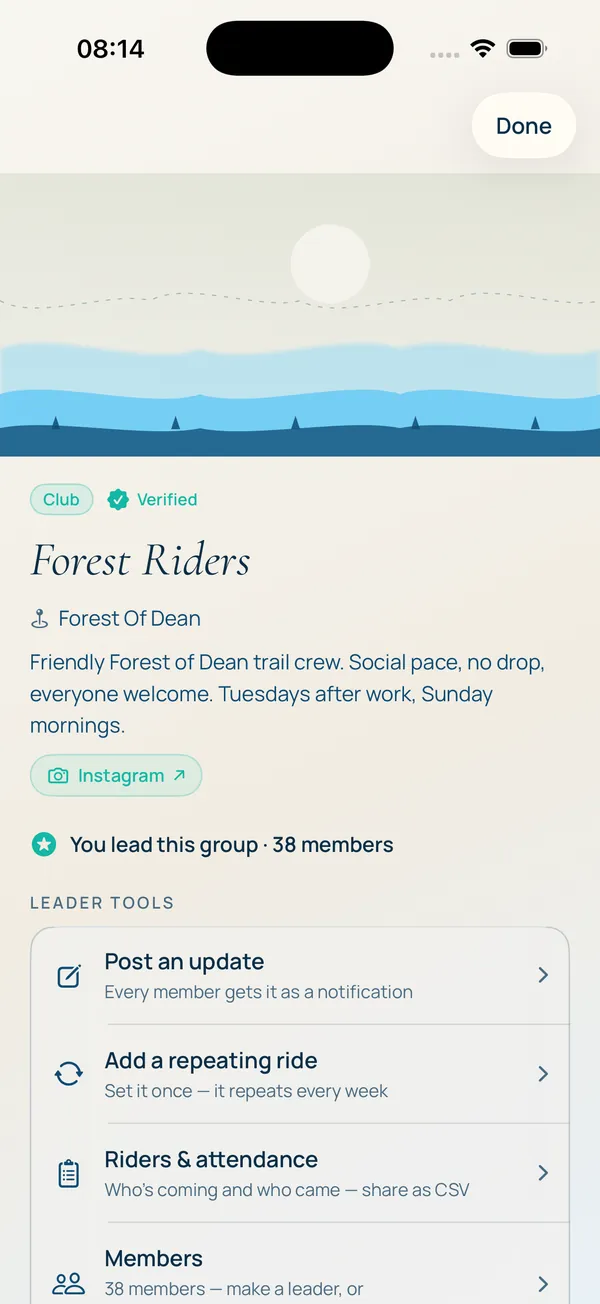
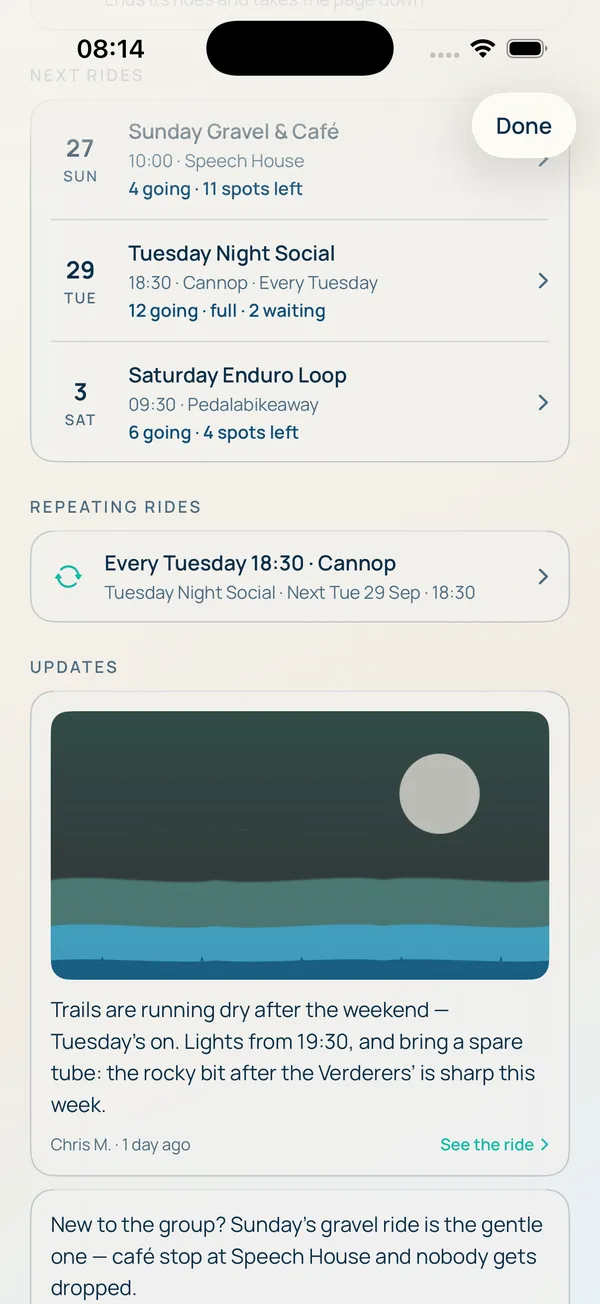
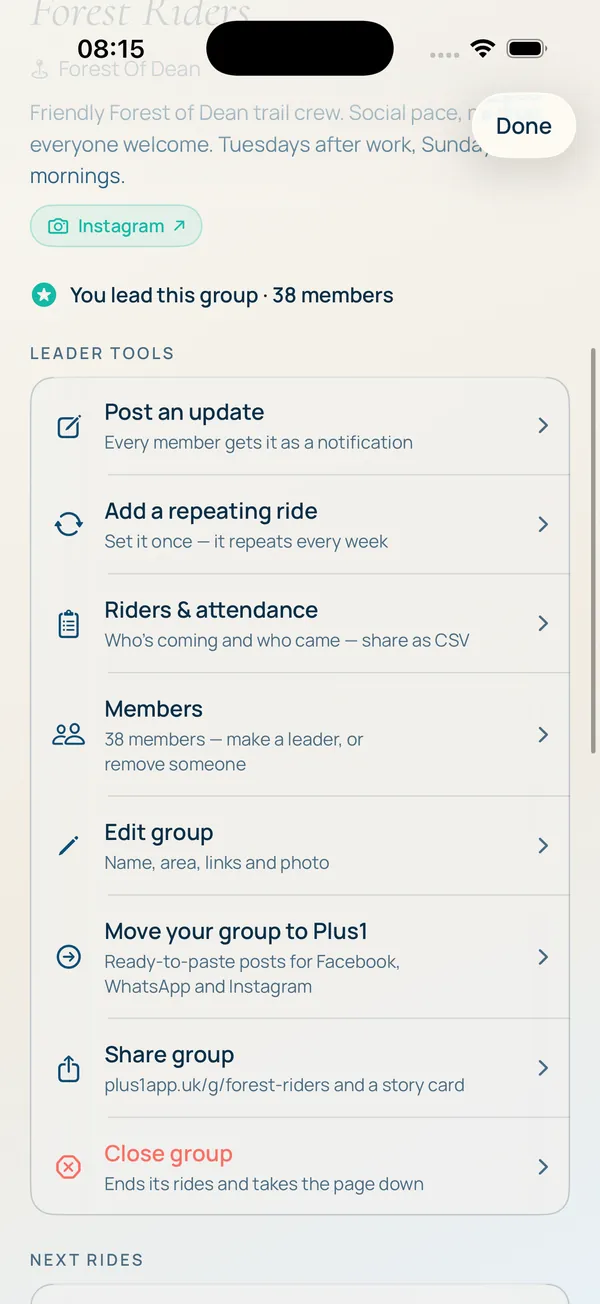
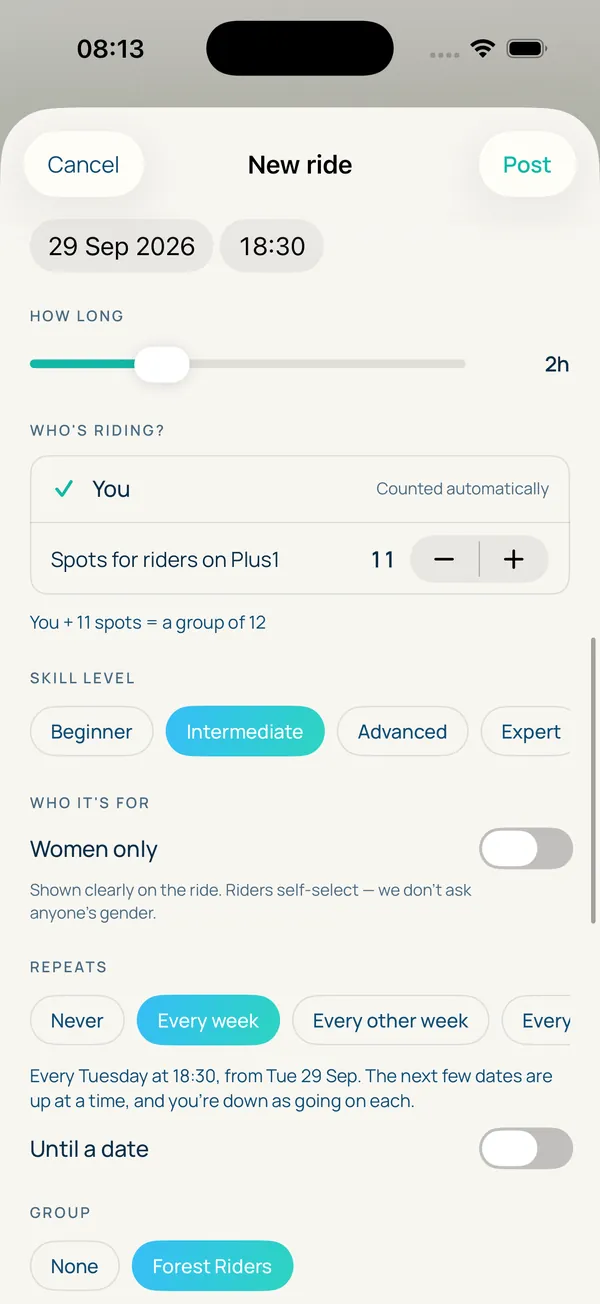
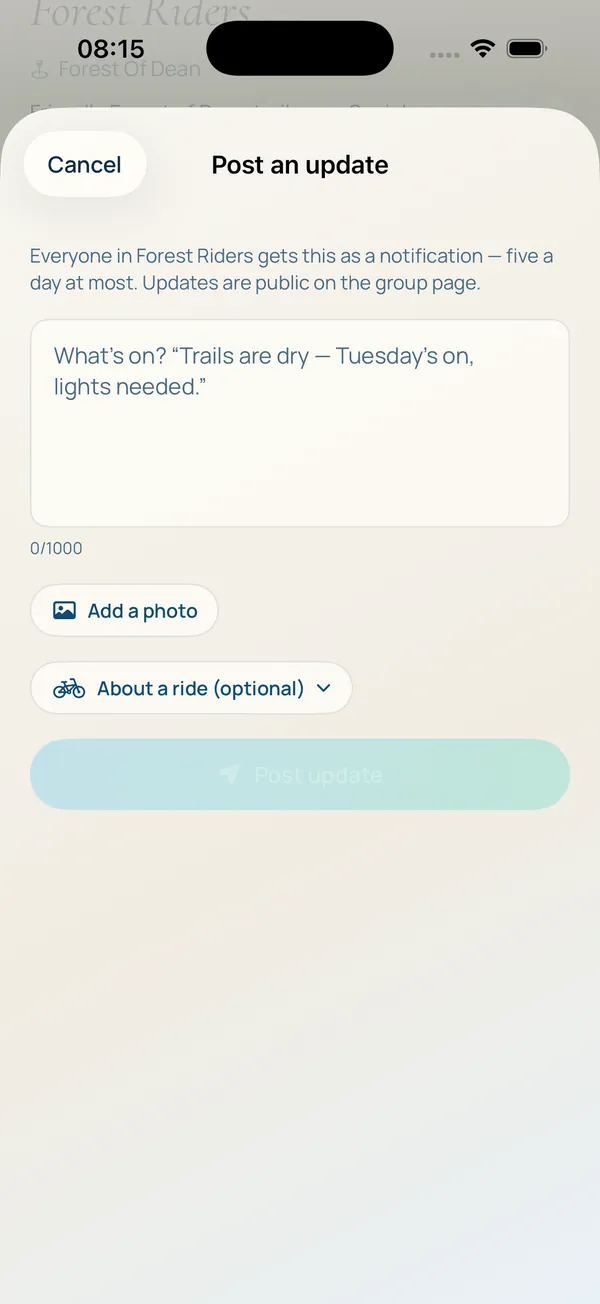
Screens from the Plus1 app, with a sample group.
See it before you start. Our demo group shows a whole group laid out page by page, with made-up riders. When you're ready, the step-by-step guide walks you through setting yours up and moving your riders across.
- A proper home A group page with your name, cover photo, area, links and leaders, as a club, a guide, a shop or a group. Share it as plus1app.uk/g/your-group.
- Set the weekly ride once Repeating rides every week, every other week or every four weeks, with an end date if you want one. Skip a date, edit it or stop it any time.
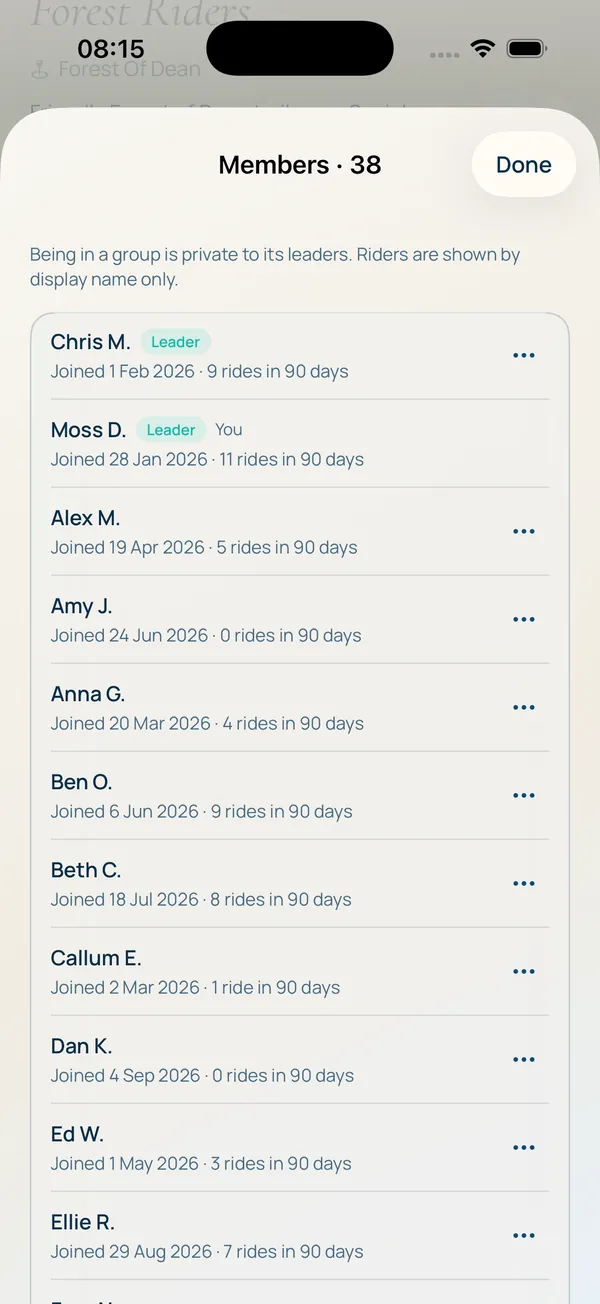
- Know who's coming Attendance in one screen: going, waiting, when they joined and when they agreed your waiver. Share it as a spreadsheet if you need a register.
- Caps and waiting lists Set a limit from 2 to 60 riders. When it's full, riders join the waiting list, and the first in line moves across automatically when a place frees up.
- Joining deadlines Close sign-ups from an hour to two days before the start, so you know your numbers before you leave the house.
- Waivers Your own wording, or a standard one to start from. Riders agree before they can join, and you can see when each one did.
- One message to everyone Post an update, with a photo if you like, and your members get it as a notification. Trail closed, meeting point changed, pub after: sorted.
- Your members, your call Open or ask-to-join, listed in search or link-only. See your member list, add co-leaders, and remove someone quietly if you need to.
Looking after your riders

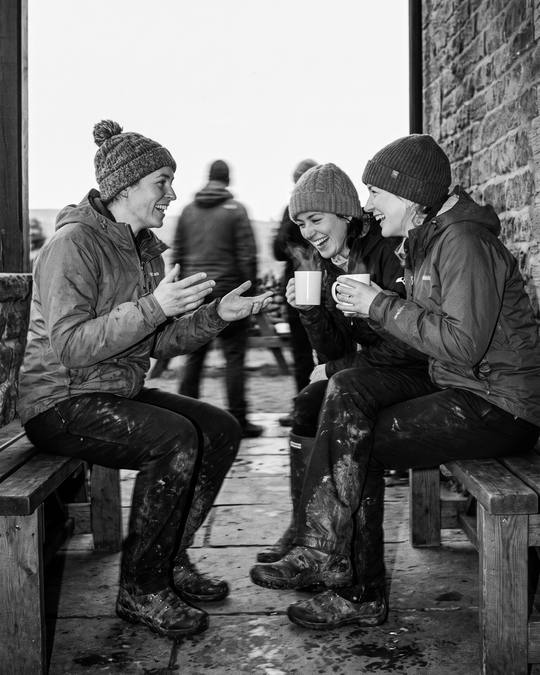
Running a group ride is about people more than routes. The best rides I've been on mixed ages and abilities, everyone looked out for each other, and nobody got left at the top of a climb.
Plus1 helps you do that properly:
- Every ride says its level. Skill level and ride type are on every ride, so riders turn up to the right one and you're not nursing someone round a trail that's beyond them.
- You know exactly who's on the ride. The attendance list tells you who said they're coming, and the waiver tells you they read your terms before they joined.
- Riders can see who's out. Plus1's Active now shows riders who are out right now, roughly, never as an exact pin, so your members can find each other between club nights.
- It's checked. Every new group is approved by hand before it goes live, and block and report are one tap away for everyone.
When you start a group, you accept the group leader terms. In plain English: the rides are yours and so are the riders on them. That's how it should be. Plus1 gives you better tools; you still lead the ride.
Guides and coaches: payments are coming
If you guide or coach, you can already run your sessions on Plus1: repeating dates, caps, waiting lists, waivers and a register. What's missing today is taking payment in the same place.
That's coming. coming soon Paid rides and bookings for guides and coaching sessions are next on the list, so a rider can find your session, book it and pay without a single message. Until then, take payment the way you do now.
How to move your group
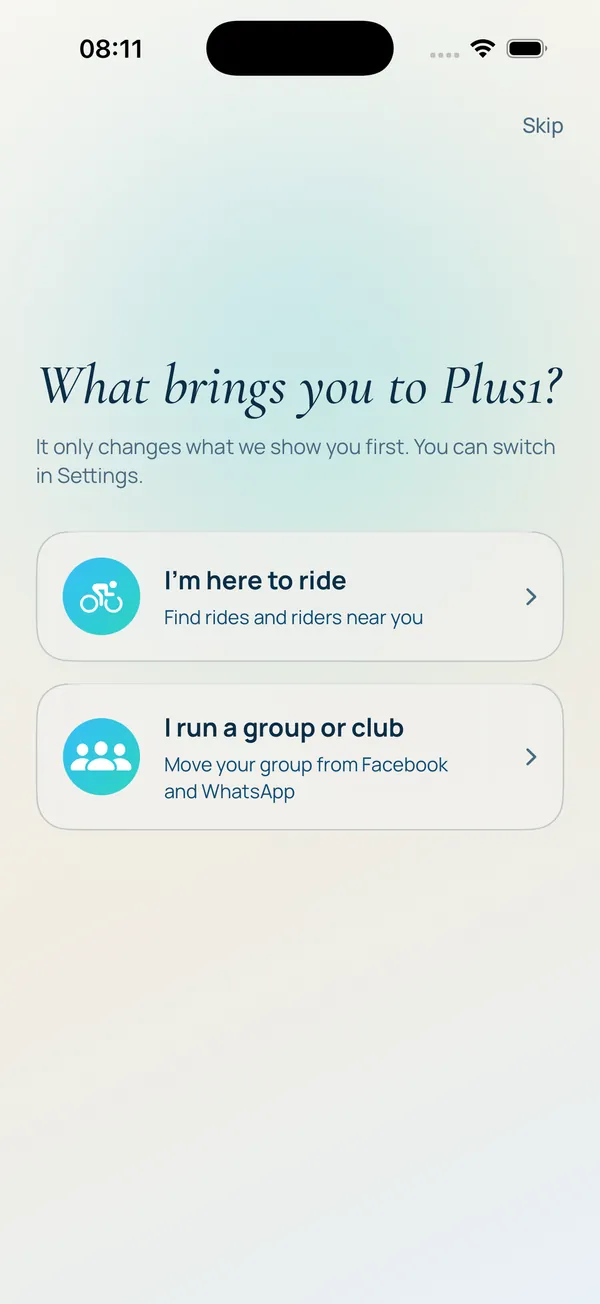
- Download Plus1 and choose "I run a group or club" when it asks what brings you here. Already on Plus1? Go to Settings, then Community, then Groups, and tap Start a group.
- Start your group: name, type, area and links. Accept the group leader terms.
- Add your weekly ride. Set it once and it repeats.
- We check it by hand, usually within a day. You'll get a notification when it's live.
- Share it where your riders already are. Post the link in your Facebook group, WhatsApp chat or Instagram bio, and share each ride as it comes up. Members join on Plus1, and the group moves across at its own pace.
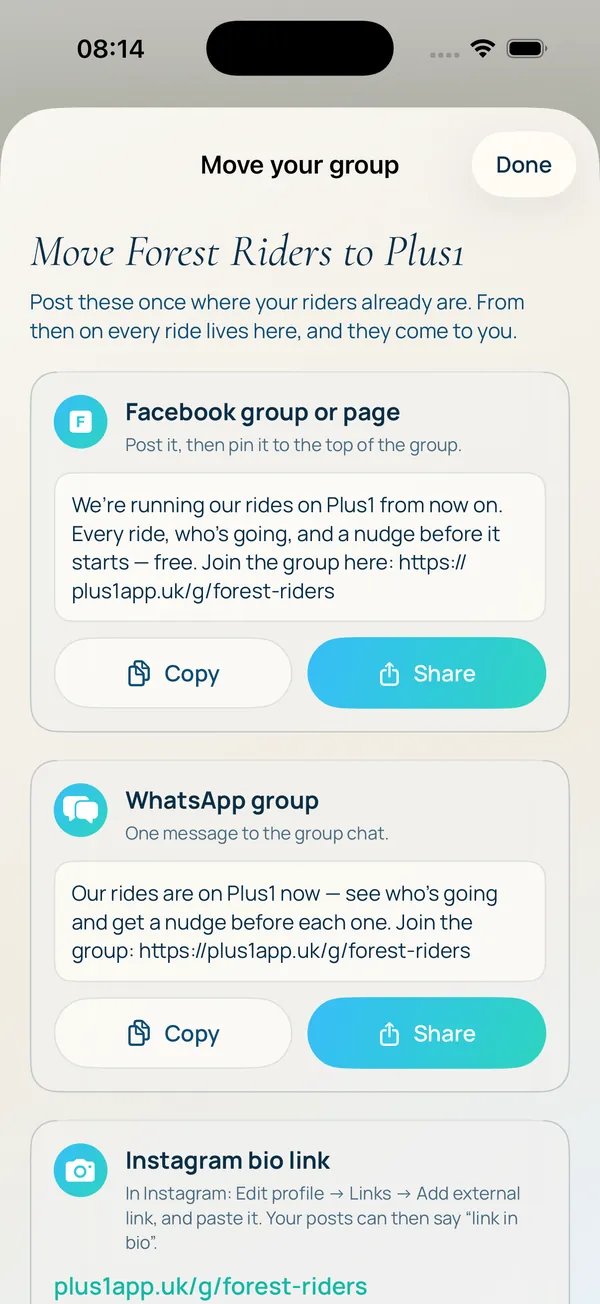
The step-by-step guide goes through every one of these screens in order, with what to tap. Or email hello@plus1app.uk and we'll set your group up for you.
Plus1 is free on iPhone and Android. If you want to talk it through first, email hello@plus1app.uk. It comes straight to me.
For riders looking for a club, we've written up how to find a mountain bike club in the UK and how to join a group ride.
Questions leaders ask
Is Plus1 free for clubs?
Yes. Groups, repeating rides, waiting lists, waivers and attendance are all free, with no ads. Paid rides for guides and coaches are coming later; running a club's rides will stay free.
Do my members need the app?
To join a ride, yes. To see your group, no: your group has a public page at plus1app.uk/g/your-group that anyone can open, with your next rides and an add-to-calendar button. So you can start today and members can move across in their own time.
Can I keep my Facebook group while we move?
Yes, and most clubs should to begin with. Post each ride on Plus1 once, then share it to your Facebook group or WhatsApp chat with one tap. Members follow the link, join on Plus1, and the group moves across at its own pace.
Can my group be private?
Yes. A group can be open, where anyone joins in one tap, or ask-to-join, where a leader approves each request. You can also keep it out of search so only people with the link can find it.
Who's responsible for the rides?
The group's leaders. When you start a group you accept the group leader terms: you're responsible for your group's rides and the riders who come on them. Plus1 gives you the tools; it doesn't lead the ride.
Why does Plus1 check every new group?
So riders can trust what they join. Every new group is checked by hand before it goes live, usually within a day, and real clubs, shops and guides can get a Verified badge.
Can guides and coaches take payment through Plus1?
Not yet. Paid rides and bookings for guides and coaching sessions are coming. Today you can run your sessions, caps, waiting lists and waivers on Plus1 and take payment the way you do now.